

1
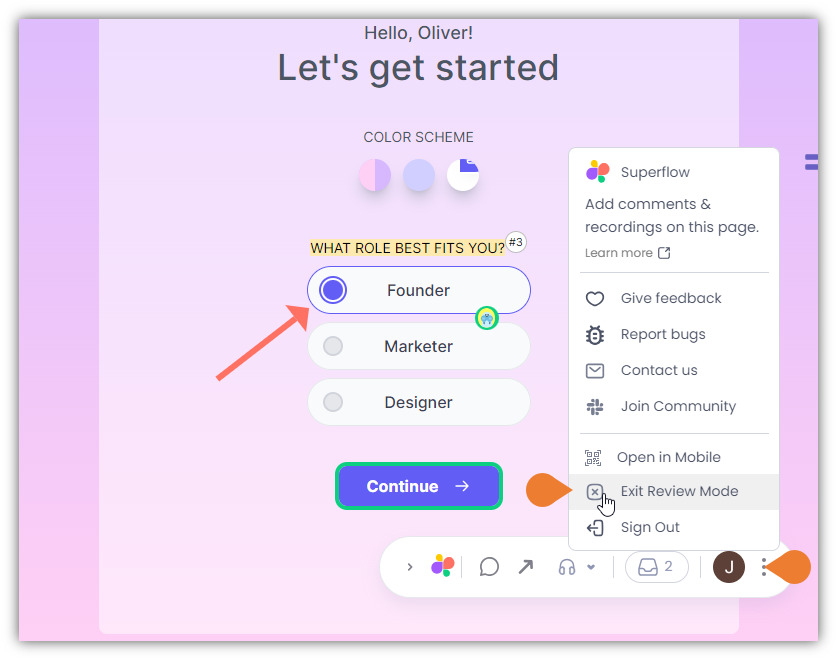
Find the Superflow Toolbar and click the More Options icon
2
A sub-menu will expand, select Exit Review Mode
3
After selecting the Exit Review Mode option, you will immediately exit the review mode
The Superflow Toolbar will no longer be available.