1
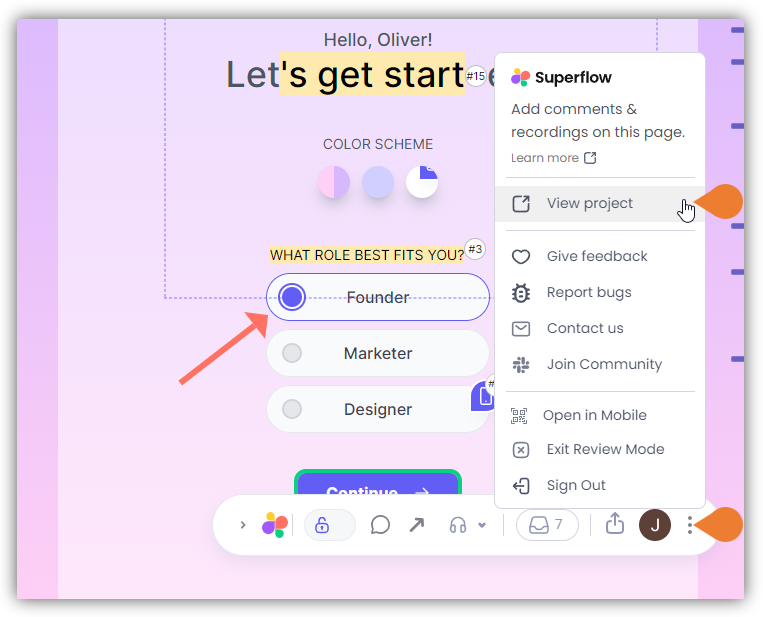
Find the Superflow Toolbar and click the More Options icon
2
A sub-menu will expand, click the View Project option to select
3
A new tab will direct you to the Project Dashboard page
By default, you will be directed to the Dashboard for Comment Status screen when accessing the Project Dashboard.
4
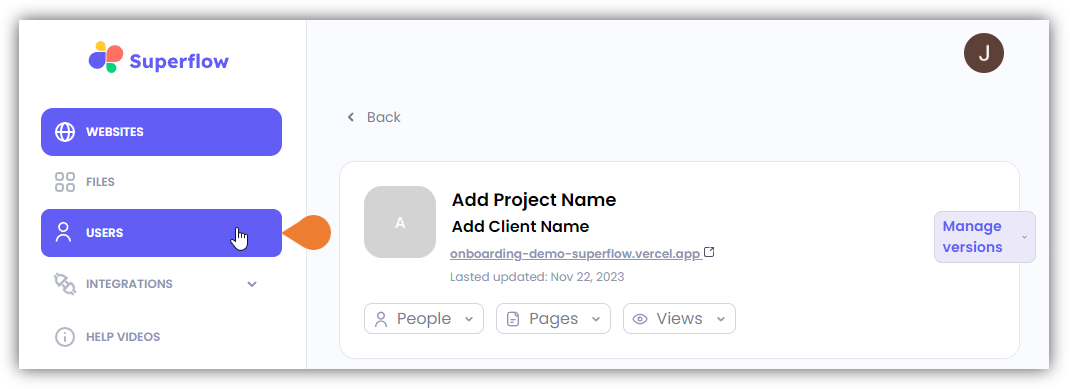
Click the USERS module to access the Users page
5
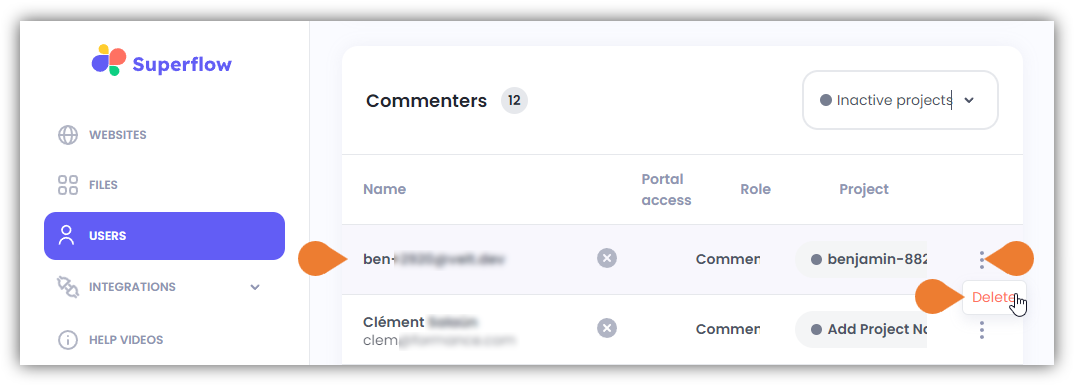
Go to the Guests section and find the Guest user you want to remove
6
Click the More Options icon and select Delete
IMPORTANT NOTE: ensure to select the correct user as there is no confirmation dialog box to confirm the action. Once you click Delete, the Guest user will be deleted immediately.