1
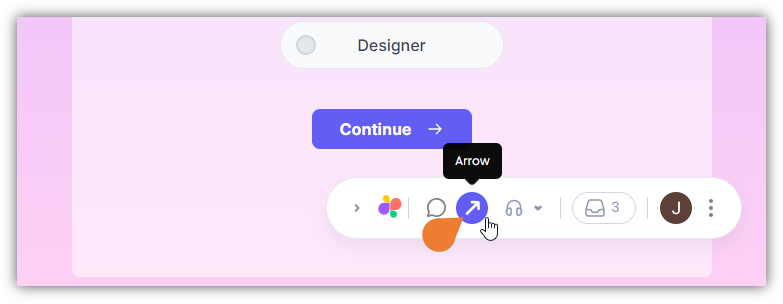
Find the Superflow Toolbar and click the Arrows icon
2
Click the Element or Text where you want to point the arrow

3
The Arrow will appear on the selected area
You can move the arrow by clicking and dragging the arrow itself.
4
You can adjust the arrow size by clicking the end point of the arrow…
You can adjust the arrow size by clicking the end point of the arrow and dragging it to achieve the preferred size.