

1
Find the Superflow Toolbar and click the More Options icon

2
A sub-menu will expand, click the View Project option to select
3
A new tab will direct you to the Project Dashboard page
By default, you will be directed to the Dashboard for Comment Status screen when accessing the Project Dashboard.
4
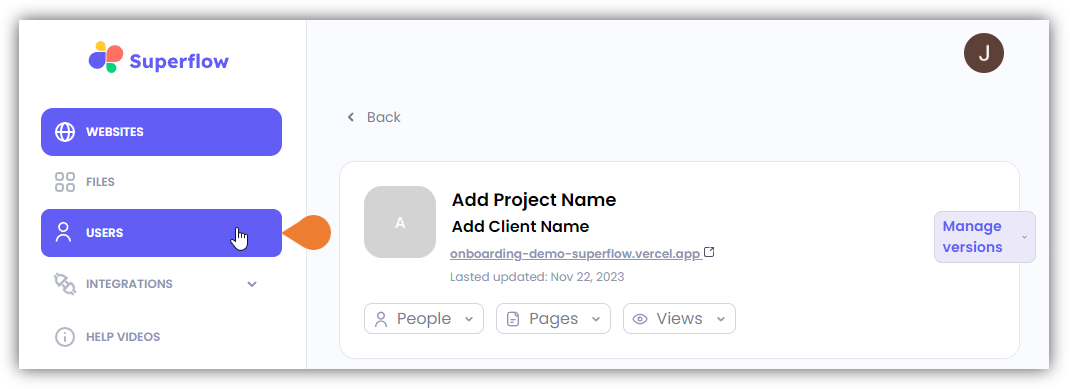
Click the USERS module to access the Users page
5
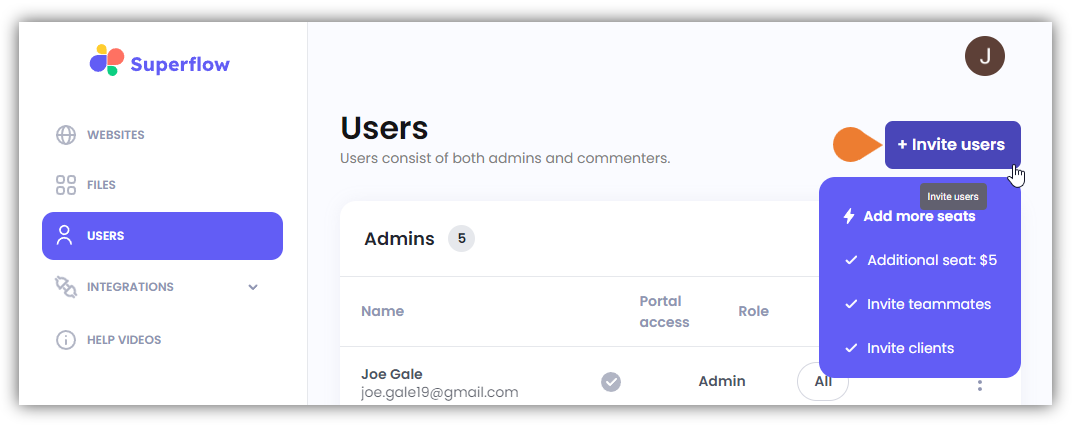
Find and click the + Invite Users button
6
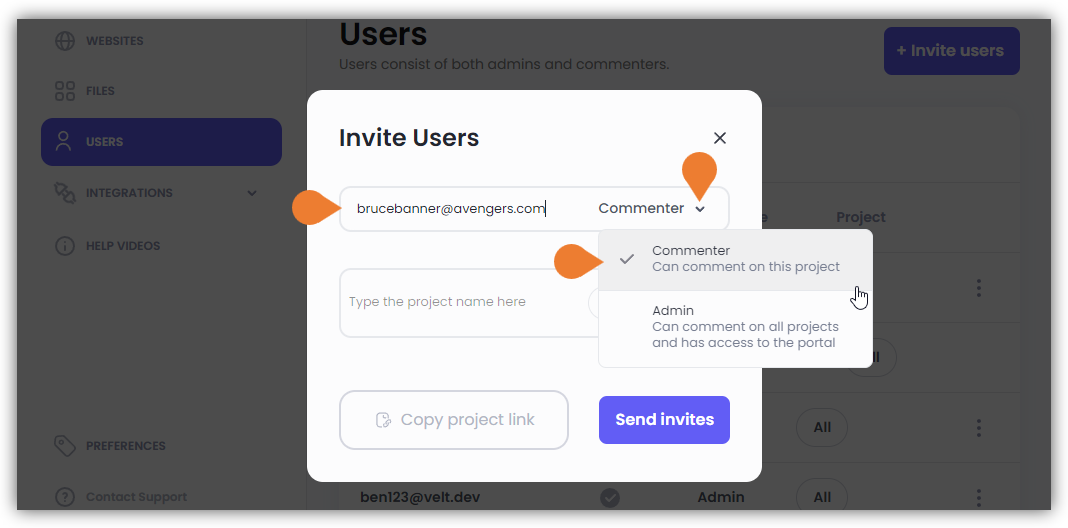
The Invite Users dialog box will appear
In the Email field, enter the user’s email address.
7
Click the Drop-Down menu and select Guest
8
Additional fields will appear
In the Project Name field, enter the project name or use the drop-down arrow to select the project you want to invite the Guest user to.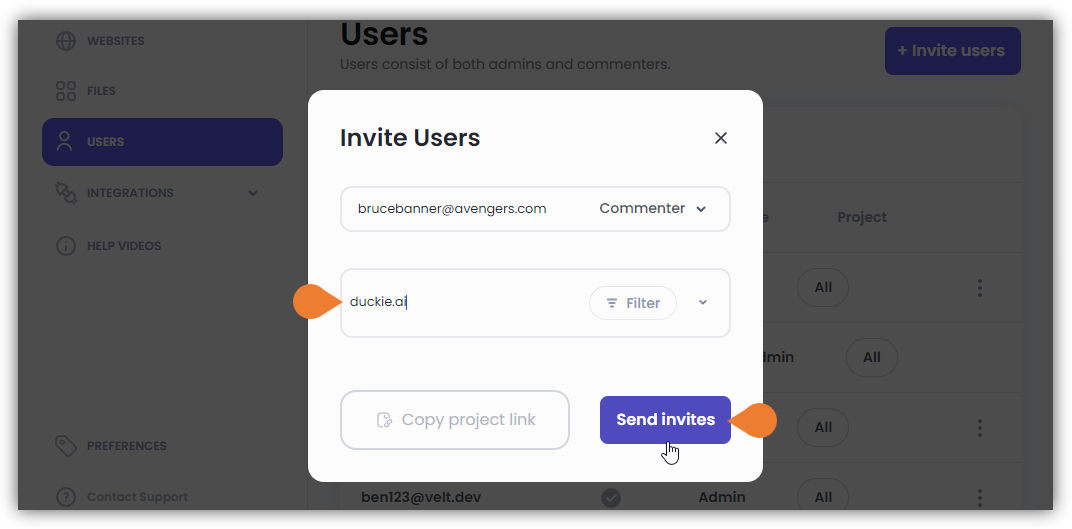
you can use the project link using the Copy project link button and provide it to the Guest user to access.
9
After entering and defining the required credentials, click the Send invites button