1
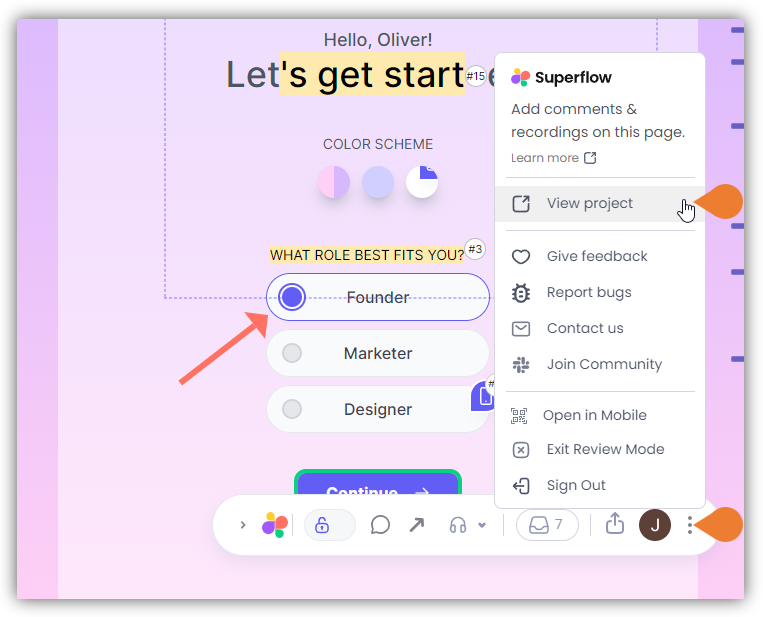
Find the Superflow Toolbar and click the More Options icon
2
A sub-menu will expand, click the *View Project option to select
3
A new tab will direct you to the Project Dashboard page
4
By default, when accessing the Project Dashboard…
By default, when accessing the Project Dashboard, you will be directed to the Dashboard for Comments Status screen or the Kanban Board. To access the Projects list, click the < Back or the WEBSITES module.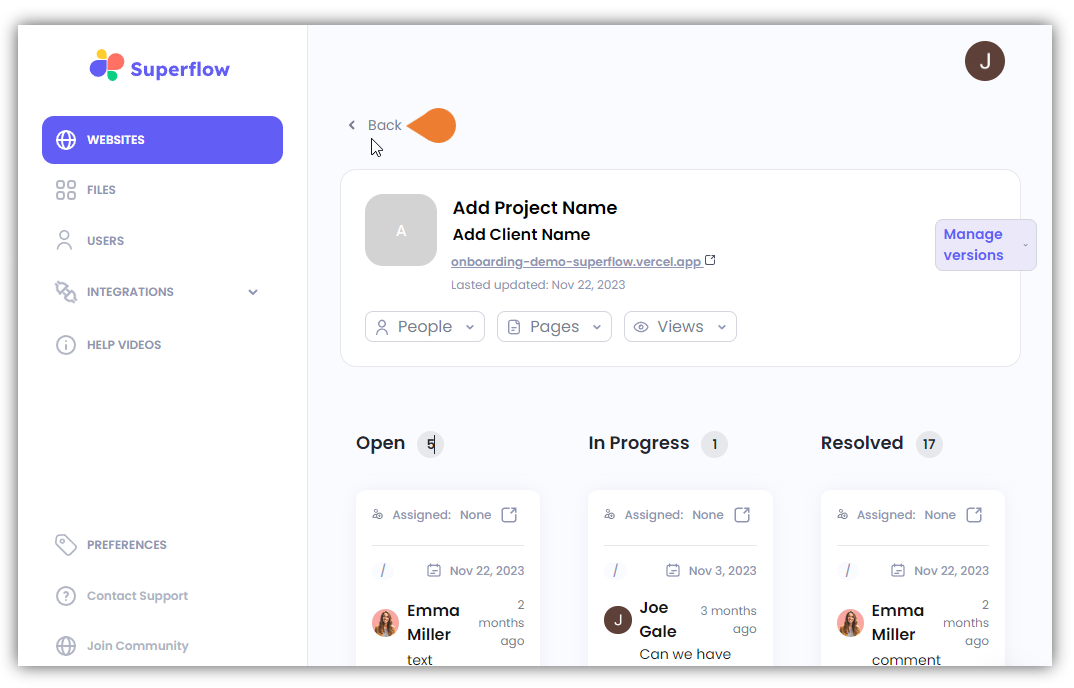
5
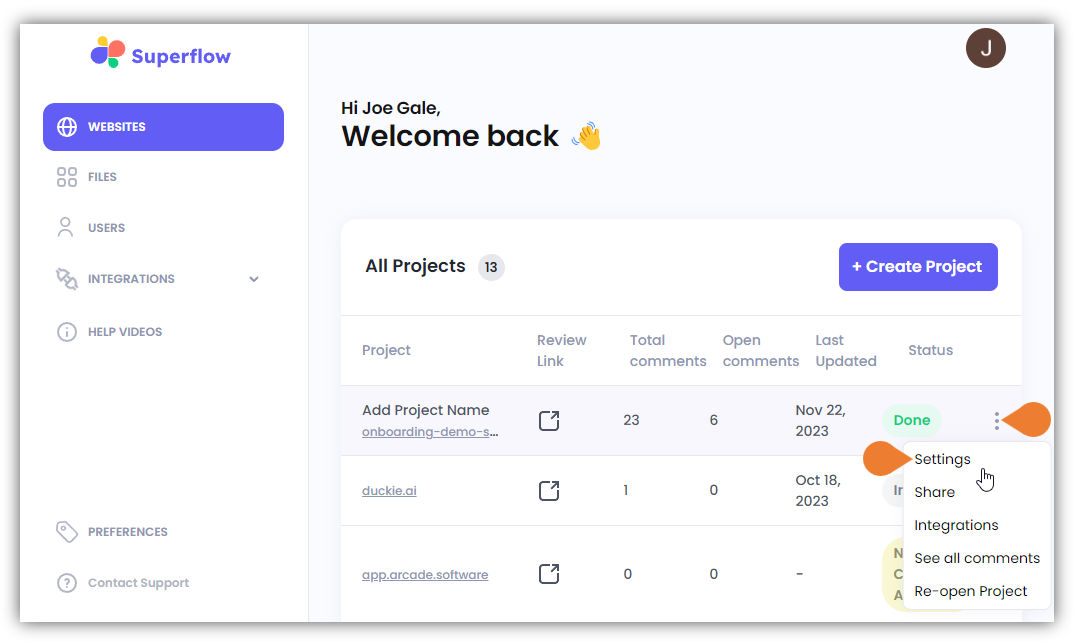
In the All Projects list, find the project you want to view and click its More Options icon
6
A sub-menu will expand, click Settings to select
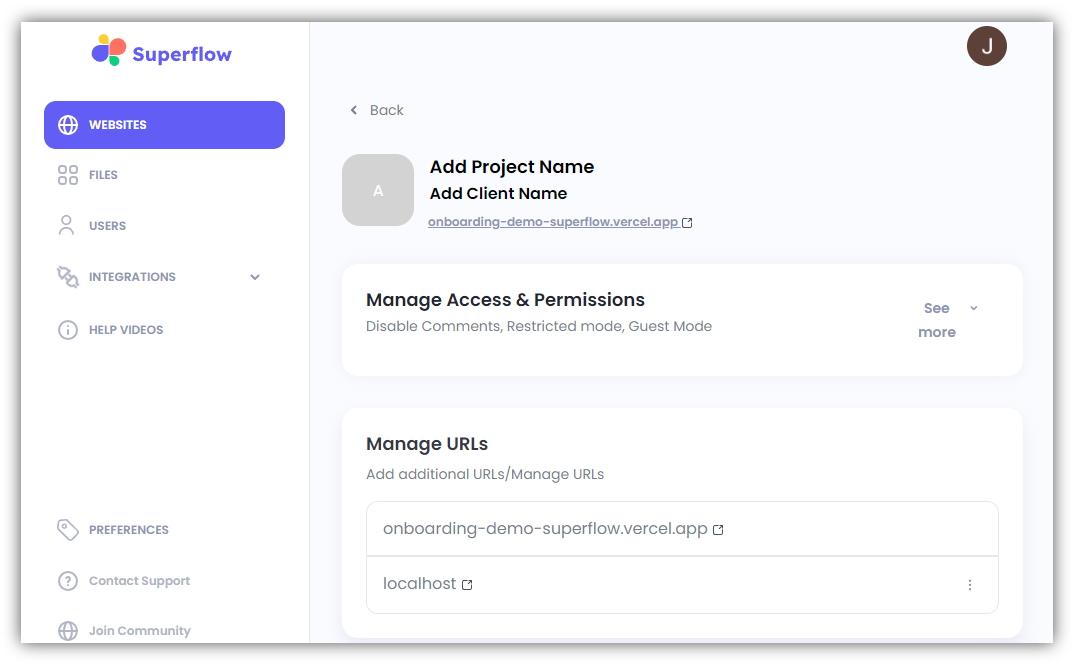
7
The Project Settings enable you to do the following:
- Add/Update Project Name
- Add/Edit Client Name
- Manage Access & Permissions
- Manage URLs
- Access Unique Code
- Migrate Superflow Data to another URL
- View Usage