

1
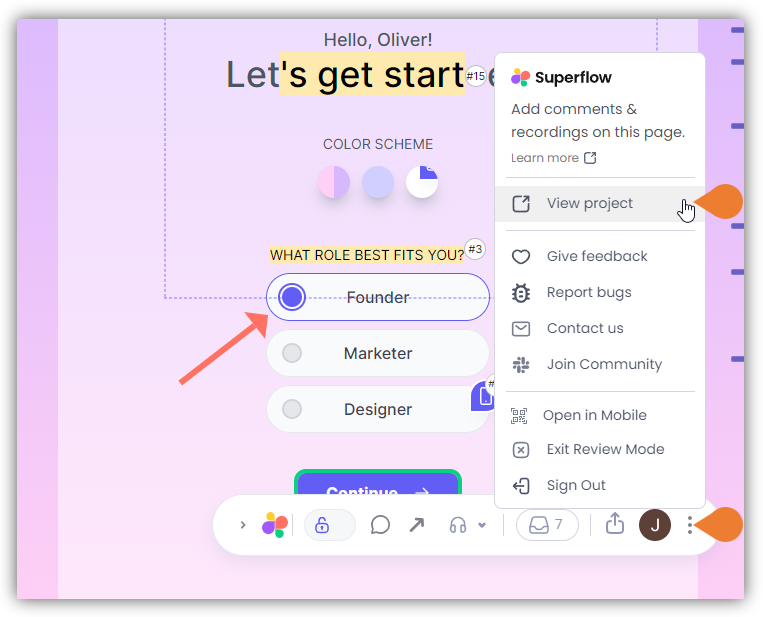
Find the Superflow Toolbar and click the More Options icon
2
A sub-menu will expand, click the View Project option to select
3
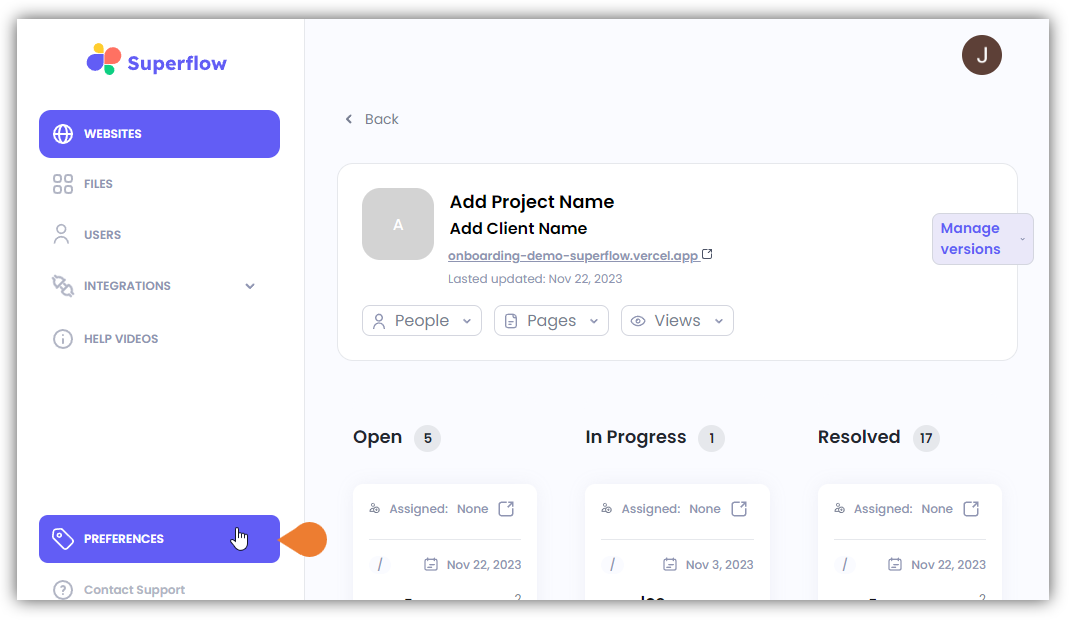
A new tab will direct you to the Project Dashboard page
By default, you will be directed to the Dashboard for Comment Status screen when accessing the Project Dashboard.
4
Click the PREFERENCES module to access the branding Custom Branding page
5
There are two (2) branding sections that you can customize; (a) the Superflow Toolbar Logo…
There are two (2) branding sections that you can customize; (a) the Superflow Toolbar Logo and (b) the Portal Logo.
6
In this example, we will customize the Superflow Toolbar Logo
Go to the Upload Superflow Toolbar Logo here panel and click the Upload Logo button.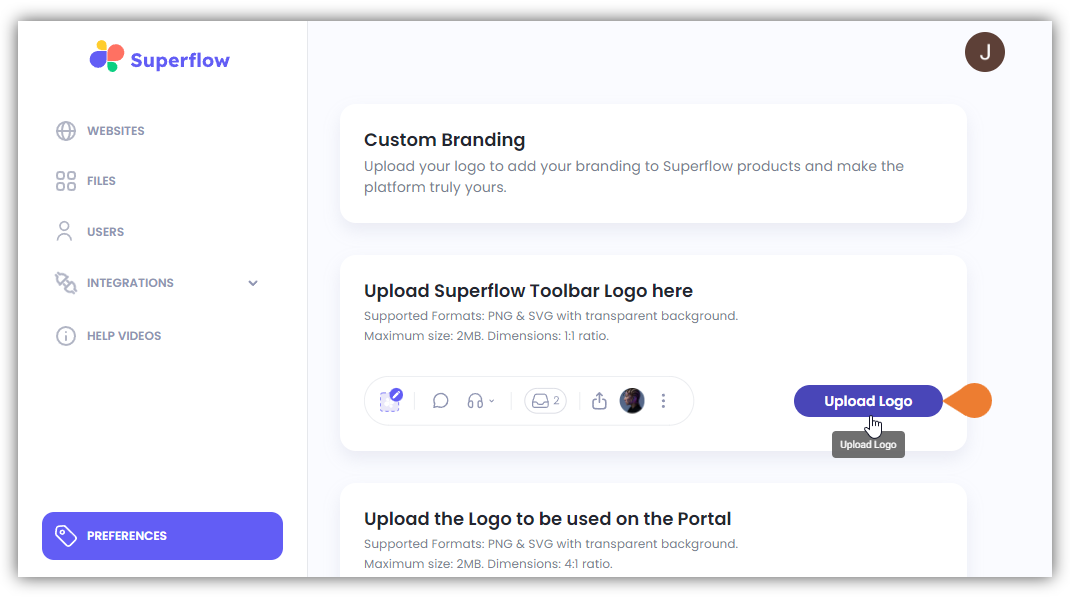
7
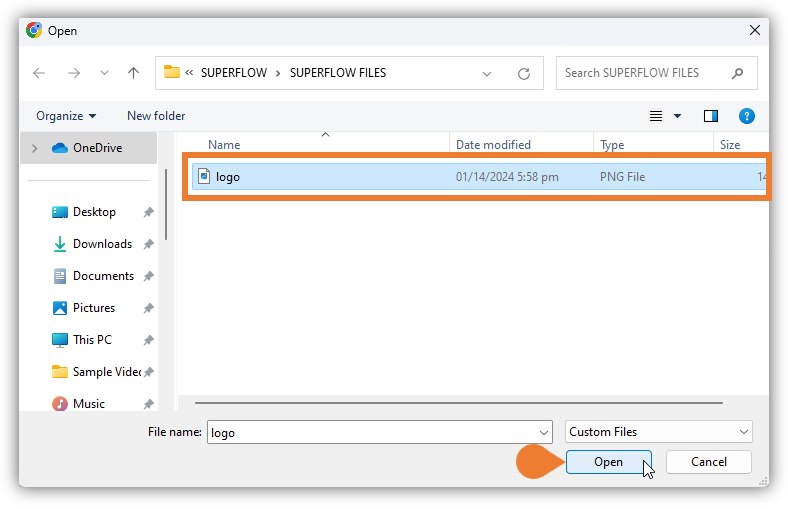
The File Location window will appear, find and select the Image File that you want to upload
8
Click Open to continue uploading the selected file
To upload an image that will be used on the portal, follow the steps above but go to the Upload the Logo to be used on the Portal panel and click its Upload Logo button.