
Manual QA misses things, issues ship to clients, and approval chains stall for days because teams lack a shared place to flag problems directly on the page which is the gap website annotation tools are built to close. Website annotation and QA tools fix the obvious part. What this list covers is everything past that, including which tools run AI checks automatically on every deploy and which ones just make it easier to report issues after a human finds them first.
TLDR:
- Most website annotation tools wait for a human to find issues first; only one runs checks automatically on every deploy
- Key differentiators across tools are AI automation, client login requirements, asset type coverage, and SOC 2/HIPAA compliance
- Bug-focused tools like Marker.io and BugHerd capture technical metadata well but cover websites only, with no video or PDF support
- Tools like Pastel and Markup.io suit small teams needing low-friction review, but lack two-way PM sync and compliance certifications
- Superflow is the only tool in this list with automated AI QA agents, per-client Memory, a structured team-then-client approval workflow, and both SOC 2 Type II and HIPAA with BAA
What Are Website Annotation Tools?

Website annotation tools run QA checklists against live sites and design assets, post findings as pinned comments on the exact element, and gate delivery until the team and the client have both signed off. The screenshot-and-email approach is gone. The better tools in this category do the checking themselves rather than waiting for a human to find something first, then hand off to a formal approval chain before anything ships.
Use cases range from client review and UAT QA testing to content approvals and pre-launch checks. If you're newer to the process, UAT roles and best practices are worth a quick read before choosing a tool. Some tools focus on bug reporting, others on client sign-off, and a few now run AI to catch issues before a human even looks at the page.
How We Ranked These Tools
Each tool below was assessed on publicly available information and our experience working in the agency review space. Here's what we weighted:
- AI automation: does the tool actually check the site, or does it just organize feedback after a person finds issues?
- Asset type coverage: websites, PDFs, video, images, or some combination
- Client approval workflow: is there a formal sign-off step, or just a comment thread?
- PM integrations: two-way sync with tools like Asana, ClickUp, or Jira
- Guest access: can clients review without creating an account?
- Compliance and security: SOC 2, HIPAA, audit trails, SSO
- Pricing accessibility: what does it actually cost at agency scale?
No single tool wins every category. The rankings reflect which tools serve the most common agency workflow best.
Best Overall Website Annotation Tool: Superflow
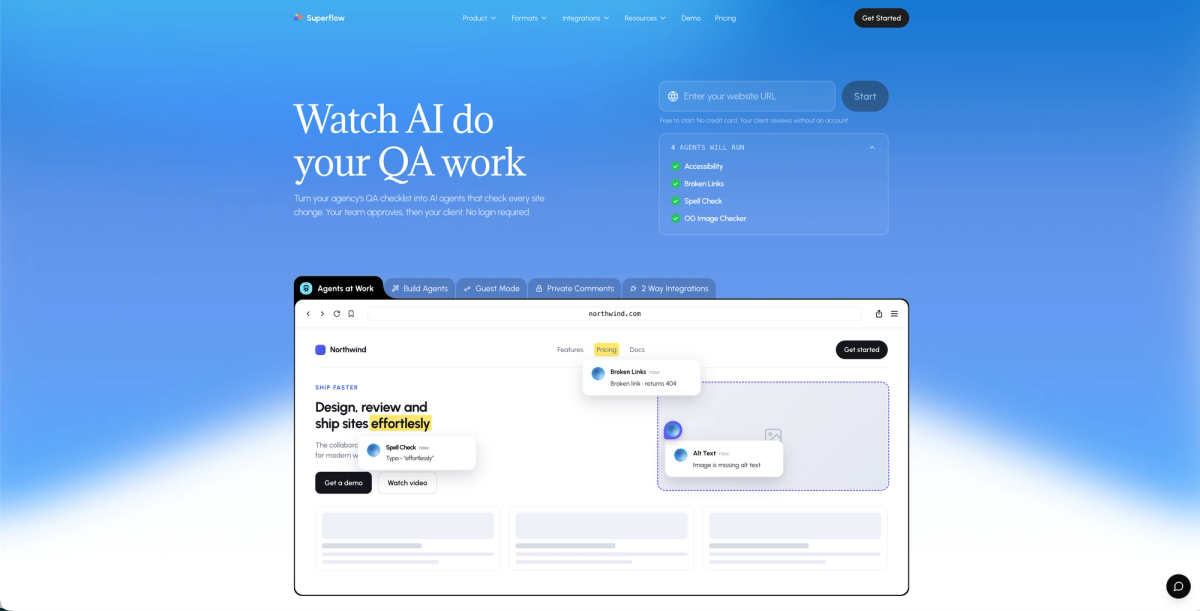
Superflow sits at the top of this list because the AI does the checking before any human opens the page. On every site change, AI agents run your QA checklist across desktop and mobile, then post findings as pinned comments directly on the flagged element. Per-client Memory compounds across projects, so agents already know the brand rules, past decisions, and preferences from day one of a new engagement. When the AI pass is done, the team reviews and gates findings, then the client signs off from a link with no login, no app, no account required.
Every other tool on this list waits for a person to find the problem first. Superflow runs the checklist before anyone opens the page.
Here is what that looks like in practice:
- Built-in agents cover accessibility, broken links, spell check, and OG image checks out of the box. Custom agents can be built from any checklist or uploaded brand guide via a prompt-and-test interface.
- Per-client Memory learns brand rules, preferences, and past decisions across every project. Project ten starts already knowing what project one had to learn. Memory feeds the agents and powers Ask AI for on-demand review analytics.
- Human-in-the-loop approval: AI does the first pass, the team reviews and gates findings, then the client signs off via a link with no login, no app, no account required.
- Five asset types supported: websites, video, PDF, images, and Lottie files.
- SOC 2 Type II, HIPAA with BAA, full audit trail, and two-way sync with Asana, Monday.com, ClickUp, Trello, and Jira.
- One-click install on Webflow, WordPress, Framer, Shopify, and 10+ other platforms; four steps, no engineer required.
Pricing starts free. Growth is $24/seat/month (annual) or $29/seat/month (monthly); Scale is $28/seat/month (annual) or $34/seat/month (monthly). Guest seats are always free and unlimited. All plans include a 10-day free trial and 500 bonus AI credits on signup.
Start free and run your first AI QA checklist.
BugHerd
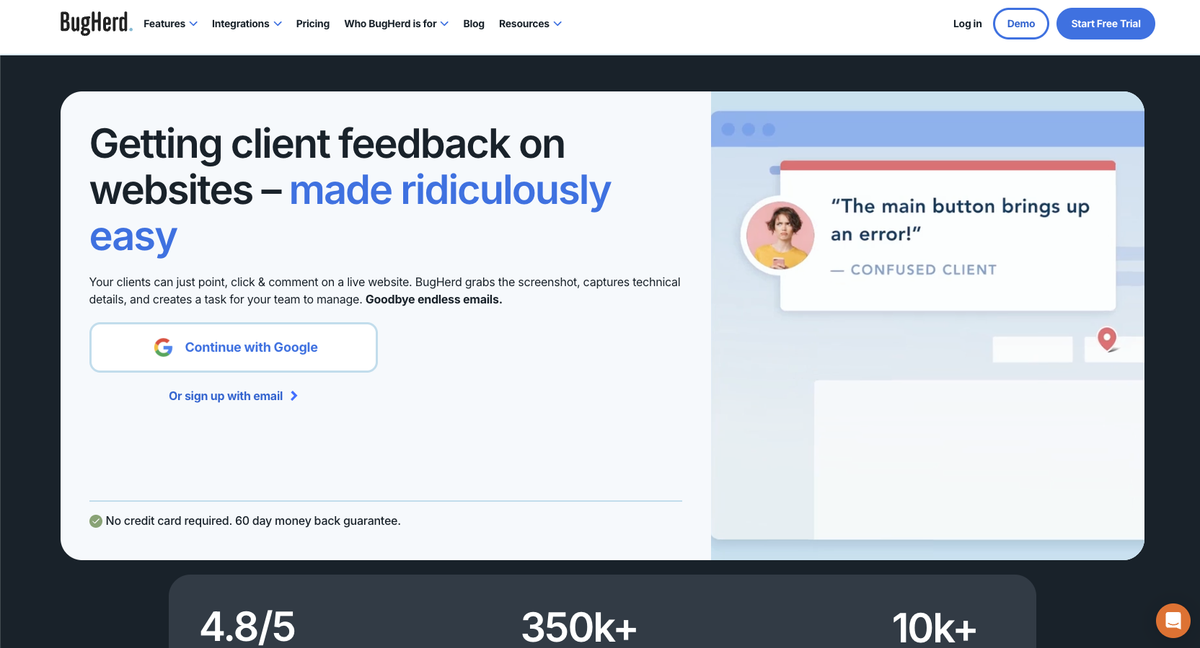
BugHerd is a bug-pinning tool built for QA teams working on live websites. Pin an issue, and it automatically captures browser, OS, and screen size metadata alongside the report.
Here's what it covers:
- On-page bug pinning with automatic technical metadata on every pin
- Built-in Kanban board for task tracking
- Native Jira and Trello sync
- Free guest links for client feedback
Good for dev teams that need structured bug reporting piped directly into project management tools. Where it falls short: no AI scans run automatically, so QA coverage depends entirely on who is looking that day, there's no per-client memory, and no formal multi-step client approval workflow. Teams looking for BugHerd alternatives will find a detailed comparison available. Pricing starts at $50/month on Standard, with additional costs per member beyond the base seat count.
Markup.io
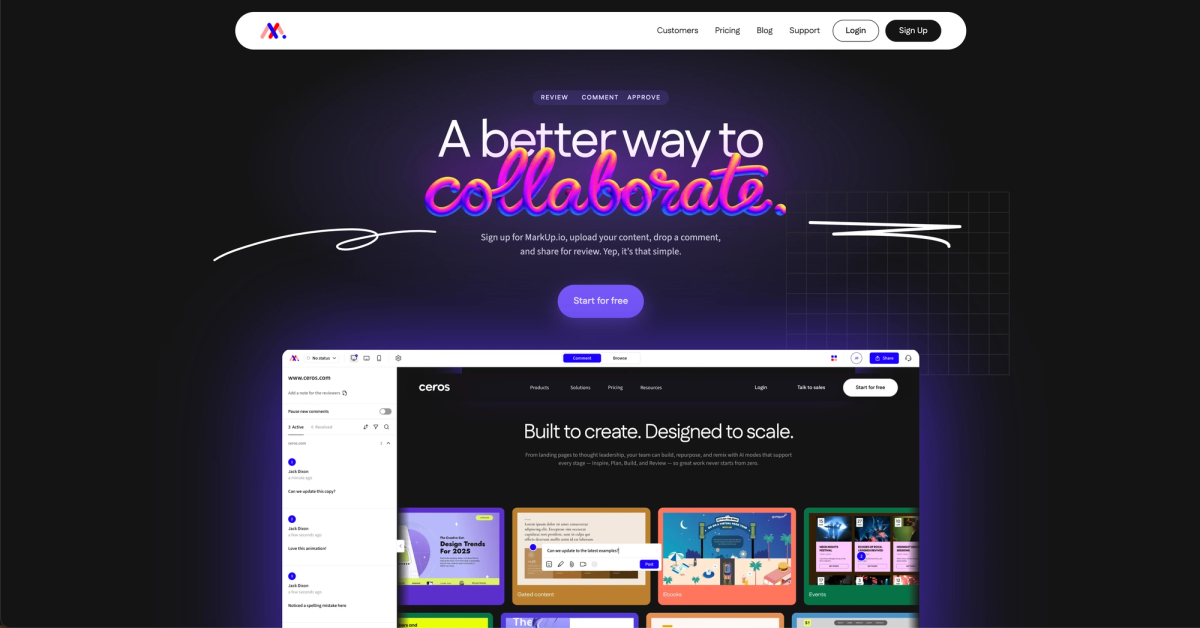
Markup.io is a visual feedback tool that displays websites and files inside a proxy or iFrame canvas, letting reviewers click to comment across a wide range of file types.
- Flat pricing at $79/month for unlimited users
- Comments on websites, images, PDFs, and video
- Statuses with per-reviewer sign-off flow
- Native Slack, Teams, and Loom integrations
Good for large teams that want flat-rate pricing across a wide variety of file types, though teams comparing Markup.io alternatives will find the constraints real: no AI features, no per-client memory, and no two-way PM sync. The proxy and iFrame display layer can also break on login-gated or iFrame-blocking sites. If your agency regularly reviews password-protected staging environments, test that before committing.
Pastel
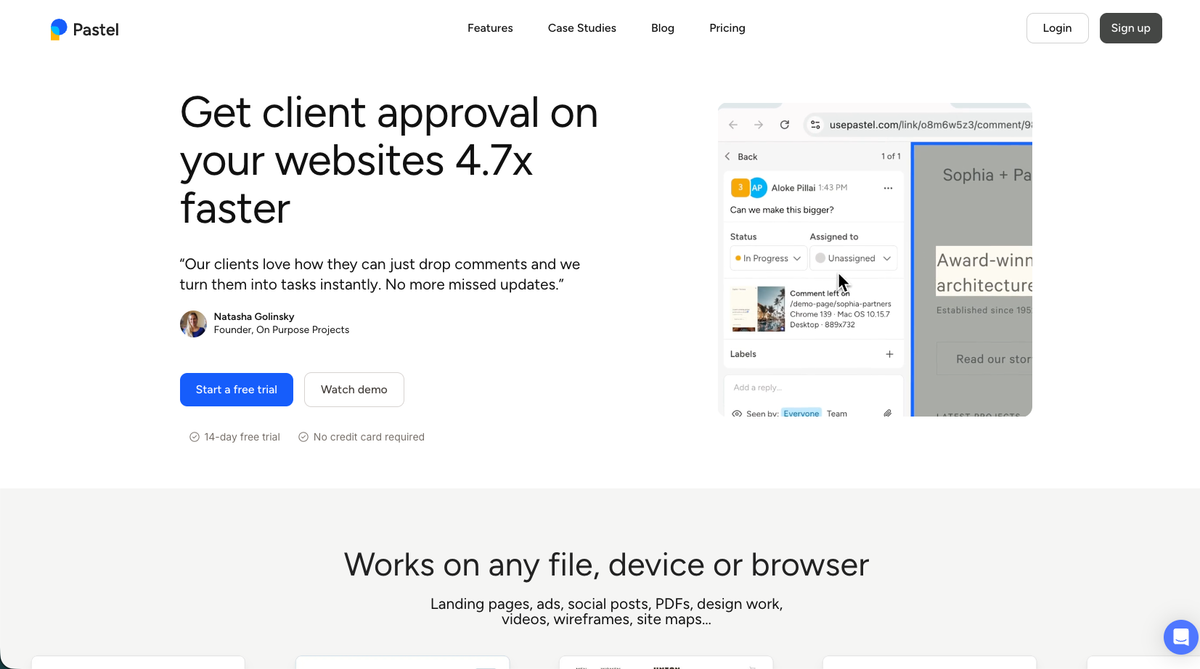
Pastel is a proxy-based annotation tool built around one idea: paste a URL, get a shareable canvas, leave comments. No snippet, no extension, no setup.
Here is what you get out of the box, even on the free tier:
- Zero-install canvas where clients just paste a URL and start commenting immediately
- Finish Review approval gate included on every plan
- Auto-screenshot with browser and screen size captured on every comment
- Private team-only comments available from the free tier
Good for small agencies or freelancers who need fast, low-friction client feedback. Where Pastel runs short: no AI features, no video or Lottie support, no SOC 2, HIPAA, or SSO certifications, and PM sync is one-way only.
Ruttl
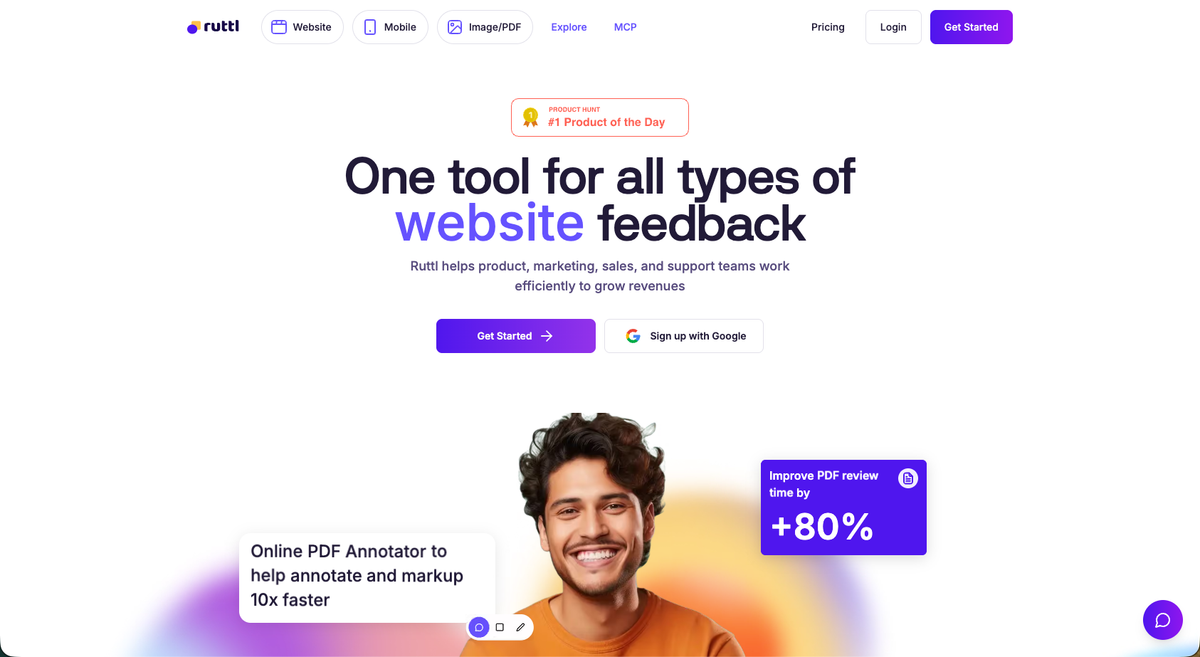
Ruttl is a visual feedback tool with a genuinely useful trick: Edit Mode lets you change text, CSS, and layout directly on a live page without touching the codebase. For design teams juggling revision rounds, that is a real time saver.
Here's what this tool offers:
- Edit Mode for live-page visual, HTML, and CSS edits without code access
- Approve Page sign-off gate that locks the page until unapproved
- Pixel-pinned comments on live websites, apps, images, and PDFs
- Kanban board with Jira, Asana, ClickUp, and Zapier integrations
Good for design and dev teams that want to mark up live sites alongside direct visual edits. Where it falls short: Ruttl's AI handles only comment sentiment analysis, with QA automation and accessibility checks listed as coming soon. There is no per-client memory, structured multi-step approval workflow, or publicly documented SOC 2 or HIPAA certifications.
Marker.io
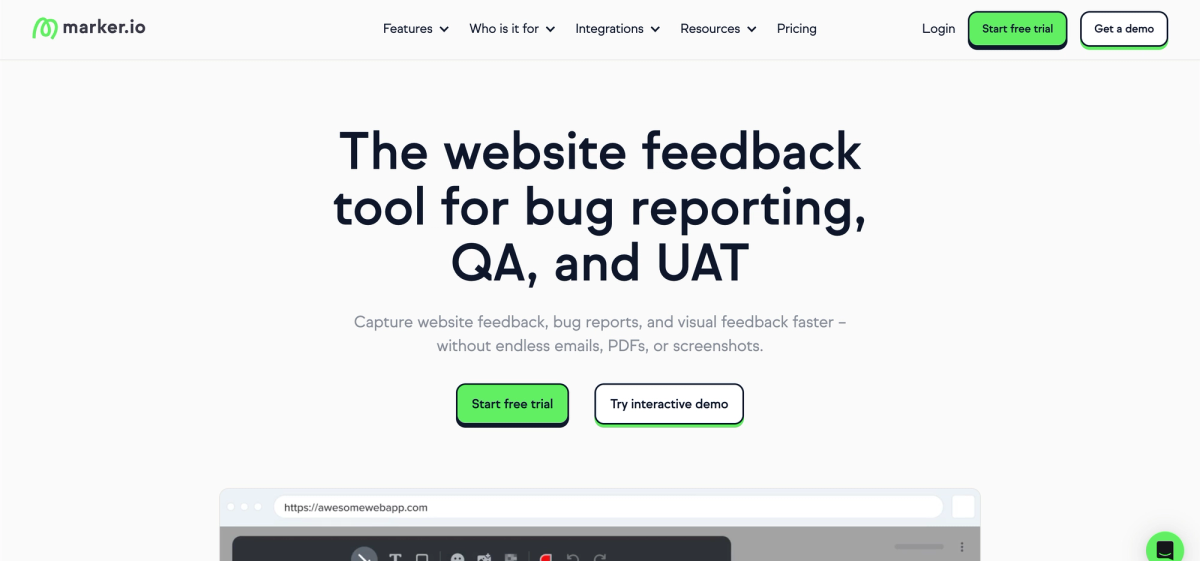
Marker.io is a bug reporting and UAT tool built for dev and QA teams. It captures annotated screenshots and files them directly into issue trackers, pulling in console logs, network requests, and session replay for technical context.
Here are some of the features you'll find in this tool:
- Deep dev-tracker integrations: Jira, GitHub, GitLab, Linear, Bitbucket, Azure DevOps, and 13+ total
- Console logs, network requests, and session replay on Team plan and above
- Two-way issue sync: Done in Jira marks Resolved in Marker.io
- Internal comments on every plan including Starter
Good for dev-heavy teams or QA engineers who need annotated bug reports with full technical metadata piped into Jira or GitHub. See how Superflow vs Marker.io compares for agencies. Where it falls short: no AI scans the site automatically, so every issue still requires a human to find it first. The Starter plan has guest and page view limits that push most agency teams to a higher-tier plan. Marker.io also covers websites only, with no video, PDF, image, or Lottie review capability.
Atarim
Atarim is a WordPress-focused agency operations suite with a wider scope than most tools on this list. Beyond feedback collection, it covers white-labeled client portals, scheduled maintenance workflows, and plugin management under one roof.
This tool includes a number of out-of-the-box features important to teams:
- Six AI InnerCircle agents (design, UX, SEO, copy, accessibility, QA) that scan pages on demand, billed against monthly credits
- White-labeled client portal with client self-service request and approval flows
- An "Upsell Machine" that auto-quotes out-of-scope work requests
- Two-way sync with Jira, Asana, ClickUp, Trello, Monday, Basecamp, and Teamwork
Good for WordPress retainer agencies that want broad ops tooling covering maintenance, client portals, and upsell automation alongside visual feedback. Teams comparing Atarim alternatives can find a full breakdown separately. The tradeoffs: QA only runs when someone initiates it, there's no video, PDF, Lottie, or image review, and HIPAA certification isn't publicly documented.
SureFeedback
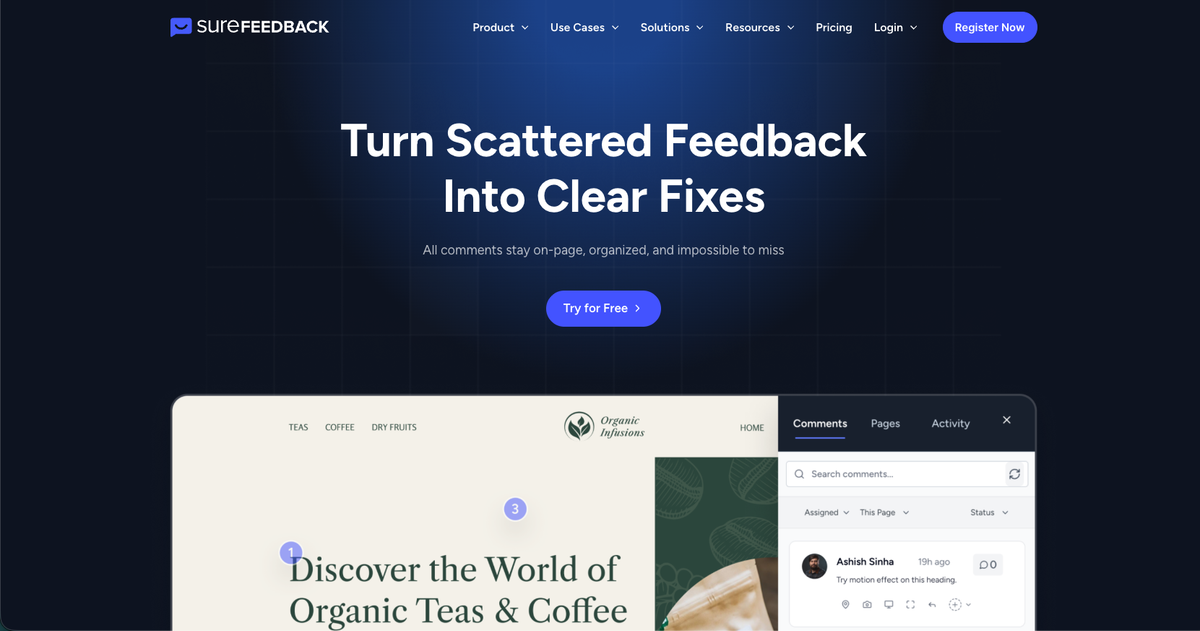
SureFeedback (formerly ProjectHuddle) is a self-hosted WordPress feedback plugin built for freelancers and small agencies that want full data ownership over a SaaS subscription.
- Self-hosted WordPress plugin with data on your own server, GPL licensed, and fully white-labeled
- Flat one-time license covering unlimited sites, projects, and users with no per-seat math
- Client commenting requires only a name and email, no full account needed
- Built-in Kanban for task tracking within the plugin
Good for WordPress shops that put data sovereignty first, but the tradeoffs show at agency scale: no AI layer, no PM integrations beyond Zapier and Make, and no SOC 2 or HIPAA documentation. Asset support is limited to websites and static image and PDF mockups.
Userback
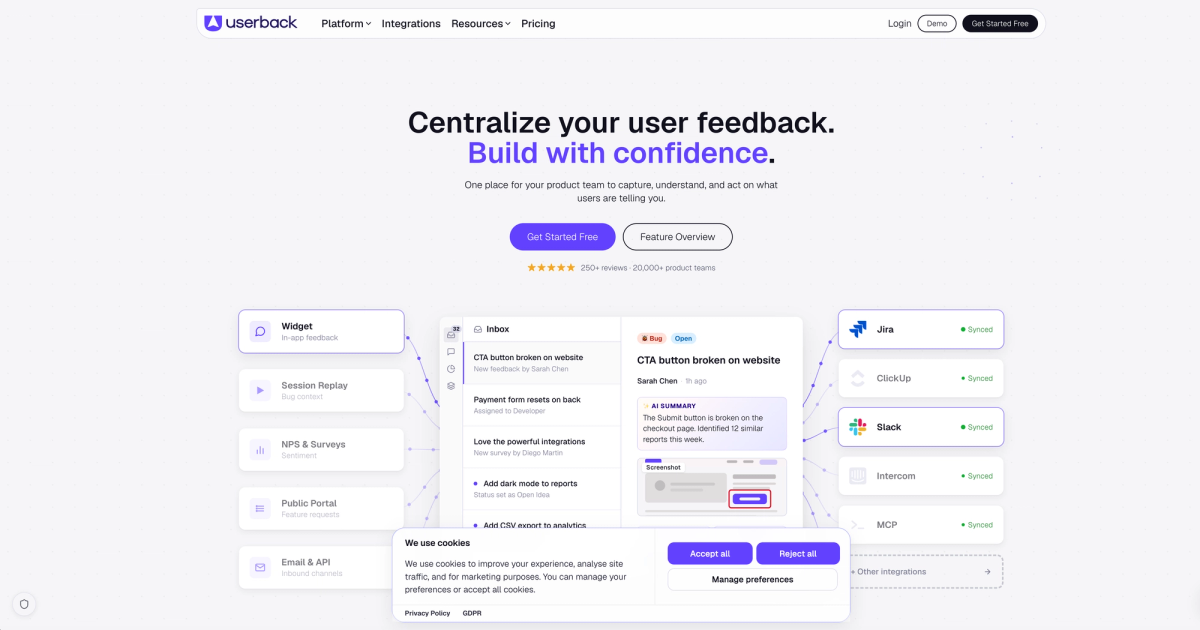
Userback is a visual feedback widget built primarily for product and dev teams. It captures annotated screenshots, session replays, console logs, and network requests, then uses AI to auto-categorize and cluster submitted feedback.
Here is what the tool covers:
- Session replay, console logs, and network requests on Business plan and above
- True two-way sync with Jira, Linear, and ClickUp
- Native MCP for AI coding tools including Cursor, Claude, and ChatGPT
- Surveys, feature request portal, and changelog in one product
Good for product and dev teams needing combined user feedback, session replay, and feature request management with strong developer integrations. Worth noting: the AI only organizes feedback after a human submits it, private internal comments are gated to Business Plus at $159/month, and the free tier drops feedback data after seven days.
Filestage
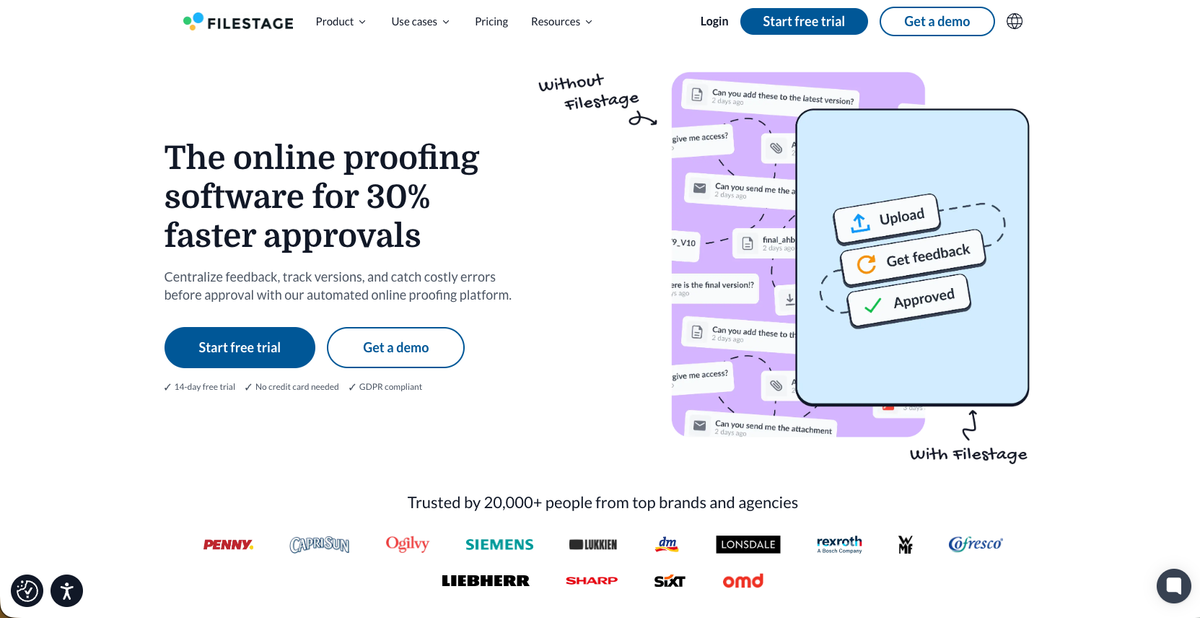
Filestage is a creative proofing tool built around uploaded file review. Video, images, PDFs, audio, documents, interactive HTML, and live website URLs all fall within its scope, making it one of the broader multi-format options on this list.
What does this tool offer? Here are some of the annotation/collaboration features available to users:
- Multi-format proofing across video, images, PDFs, audio, documents, interactive HTML, and live websites
- AI Review Agents that scan uploaded files for typos, logos, forbidden terms, and compliance items (Business plan only, 50 credits/month)
- Formal approval workflow with reviewer groups, due dates, and reminders
- Jira, Monday, Slack, Teams, Zapier, Adobe apps, and Google Drive integrations
Good for creative and marketing teams proofing a wide mix of file formats alongside live websites, with structured reviewer groups and formal sign-off chains. Worth noting: AI agents only scan uploaded files, not live sites, so automated checks on every deploy still require a manual pass. The Superflow vs Filestage comparison covers that gap in detail. Private sites also require IP whitelisting and X-Frame-Options header adjustments. Pricing is EUR-denominated, ranging from EUR 199 to 329 per month at scale (see their pricing page for current USD equivalent).
Feature Comparison Table of Website Annotation Tools
The table below covers ten of the most-compared website annotation tools side by side across the features teams consistently ask about before committing to one.
| Tool | AI Automated QA | Per-Client Memory | No Client Login Required | Multi-Asset Support (Video + Lottie) | Two-Way PM Sync | Client Approval Workflow | SOC 2 / HIPAA |
|---|---|---|---|---|---|---|---|
| Superflow | Yes | Yes | Yes | Yes | Yes | Yes | Yes |
| BugHerd | No | No | Yes | No | Yes | No | No |
| Markup.io | No | No | Yes | No | No | Yes | No |
| Pastel | No | No | Yes | No | No | Yes | No |
| Ruttl | No | No | Yes | No | Yes | Yes | No |
| Marker.io | No | No | Yes | No | Yes | No | No |
| Atarim | On demand | No | No | No | Yes | Yes | No |
| SureFeedback | No | No | No | No | No | No | No |
| Userback | No | No | Yes | No | Yes | No | No |
| Filestage | Files only | No | Yes | Yes | Yes | Yes | No |
Why Superflow Is the Best Website Annotation Tool
Every tool on this list waits for a person to find the problem first. Superflow runs the checklist before anyone opens the page. AI agents check for accessibility issues, broken links, copy errors, and brand rule violations on every deploy, posting pinned findings directly on the element, as a BugHerd QA comparison makes clear. Per-client Memory means those agents compound knowledge across every project. No other tool in this category does both.
The full AI-powered QA and approval workflow runs in one place: AI does the first pass, the team reviews and gates findings, then the client signs off from a link with no login required. That flow covers websites, video, PDFs, images, and Lottie files. Ask AI surfaces cross-project patterns, such as which clients generate the most review rounds, where delays hide, and whether you're catching copy issues or bugs, without building a dashboard. SOC 2 Type II and HIPAA with BAA cover the compliance requirements that rule out most tools for healthcare and finance clients. For agencies that want QA to stop being a manual, error-prone step, Superflow is the only tool built specifically around that problem.
Final Thoughts on the Best Website Annotation Tools
Every tool here covers the basics, but the differences add up fast at agency scale. Think about where your review process breaks down most often, whether that's manual QA that misses things, approval chains that stall, or clients who won't create accounts, then match the tool to that problem. If the answer is all three, Superflow is the only tool on this list that combines automated AI QA agents, a structured team-then-client approval workflow, and no-login client review in one place.
Try Superflow free and run your first AI QA checklist today.
FAQ
How do I choose between Superflow, Pastel, and Marker.io for my agency's review workflow?
Start with your biggest bottleneck: if QA errors are shipping to clients, Superflow's automated AI agents catch issues before any human reviews the page. If you need zero-setup client feedback with no technical configuration, Pastel handles that with a URL paste. If your team lives in Jira and needs annotated bug reports with console logs attached, Marker.io is built for that workflow.
Is Superflow or Filestage better for teams reviewing video and website assets together?
Both support video and live websites in the same workflow, but the key difference is where AI runs. Filestage's AI agents scan uploaded files only, so live site checks on every deploy still require a manual pass. Superflow runs AI agents automatically on every site change, including accessibility, broken links, and brand rule checks, then handles video review in the same workspace.
Which website annotation tools work for clients who refuse to create accounts?
Superflow, Pastel, Ruttl, Marker.io, BugHerd, Markup.io, Userback, and Filestage all let clients leave feedback without creating an account. SureFeedback asks for a name and email but no full account; Atarim requires a client portal login, so both add a step that can slow down non-technical clients.
When should a small WordPress agency choose SureFeedback over a SaaS tool like Ruttl or BugHerd?
SureFeedback makes sense when data ownership is a hard requirement and your project volume fits a flat one-time license better than per-seat monthly billing. If you need PM integrations beyond Zapier, AI-assisted checks, or video and PDF review alongside websites, SureFeedback's scope will push you toward a SaaS option like Ruttl or BugHerd before long.
What should compliance-sensitive industries like healthcare check before choosing a website annotation tool?
SOC 2 Type II and HIPAA with BAA are the two certifications that matter most, and only Superflow publicly documents both on this list. Understanding the differences between SOC 2 and HIPAA can help clarify what each certification actually covers. Most other tools, including Pastel, Ruttl, Marker.io, BugHerd, and Markup.io, do not publish SOC 2 or HIPAA documentation, which typically disqualifies them for healthcare clients or agencies handling protected health information.