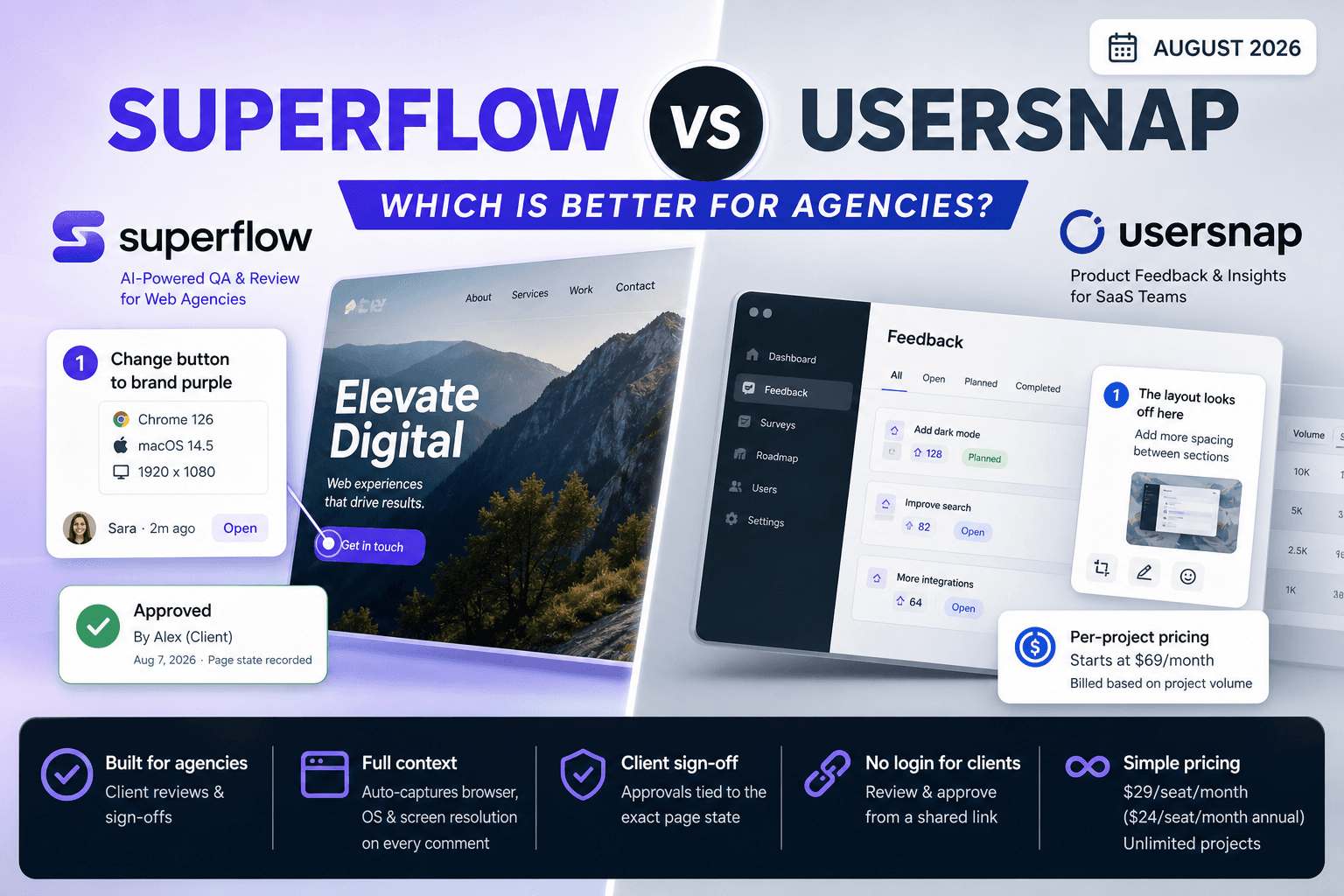
Not every QA and review tool is built for agency work, and that gap shows up the moment a project hits sign-off. Superflow is an AI-powered QA and review platform built for web agencies; Usersnap is a product feedback tool for SaaS teams. Both put comments on websites, but they solve fundamentally different problems. This comparison breaks down where each one actually fits so you can stop second-guessing and just pick the right one.
TLDR:
- Usersnap targets product and SaaS teams; Superflow is built for web agencies managing client approvals
- Superflow auto-captures browser, OS, and screen resolution data on every comment, so developers don't have to ask
- Usersnap has no dedicated client sign-off flow; Superflow records approvals tied to the exact page state
- Superflow starts at $29/seat/month ($24/seat/month annual) with unlimited projects; Usersnap starts at $69/month and charges per project volume
- Superflow lets clients review and approve from a shared link with no login required
What Is Usersnap?
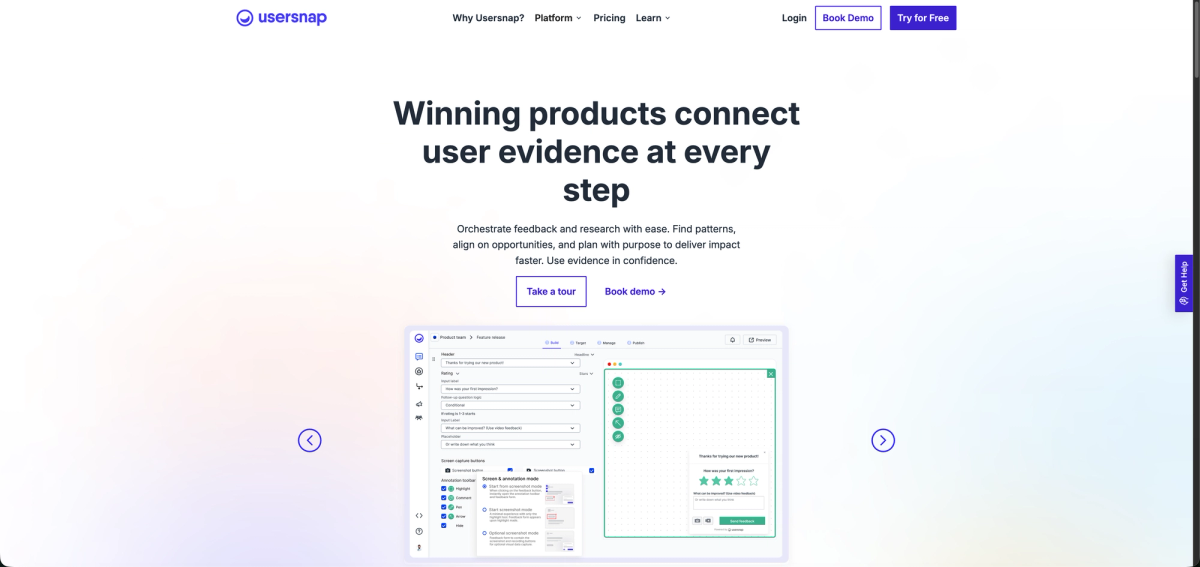
After its 2023 acquisition by saas.group, Usersnap rebuilt itself as a product-discovery tool, moving bug capture to one feature among several alongside NPS surveys, CSAT, sentiment analysis, and a public feature-request board. Built for product and development teams at tech startups and large enterprises, it targets product managers guiding feature delivery, not web or marketing agencies.
What Is Superflow?
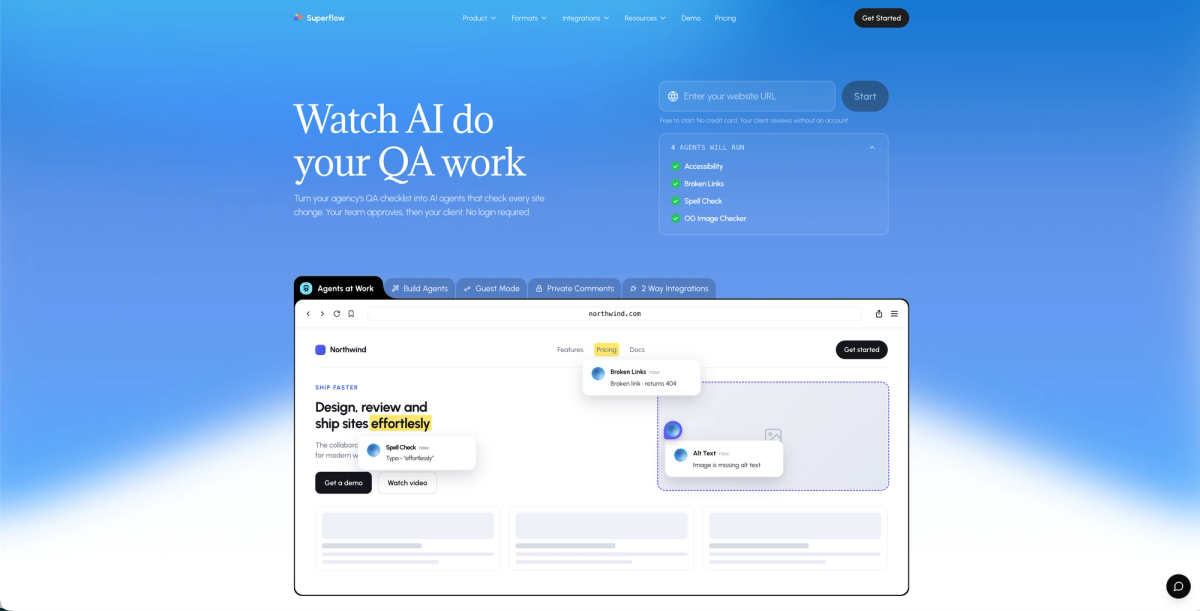
Superflow is an AI-powered QA and review platform built for web and marketing agencies. The workflow runs in four steps: install a snippet (or one-click for Webflow, WordPress, Framer, and Shopify), paste in your QA checklist or upload a brand guide, and AI agents run automatically on every site change, posting findings as pinned comments on the exact element. Your team reviews and signs off. Then your client approves via shared client review link with no account or login required.
Built-in agents cover accessibility, broken links, spell check, and OG image checks out of the box. Custom AI agents can be built from any checklist or uploaded brand guide and get more precise with every project through AI client memory. The platform covers websites, video, PDF, images, and Lottie files in one workspace.
Core Use Case and Target User
Superflow is built for web and marketing agencies that need to run QA and get client sign-off without the usual chaos. AI agents do the first pass on every site change, posting findings as pinned comments your team can act on immediately. Once the team signs off, clients review a live URL, leave any final feedback pinned to the exact element, and approve directly in the tool. No email threads, no annotated screenshots, no "see the red circle in the attachment."
Usersnap skews toward product and SaaS teams. Its strength is bug tracking and customer feedback collection at scale, with widget-based tools that sit on top of deployed products.
If your work is website delivery, those are meaningfully different audiences.
If you're running client projects on live sites, try Superflow free and see how much of your QA checklist AI agents can handle before your next project ships.
How QA and Feedback Work
The mechanism for getting feedback onto a page is where these two tools diverge. With Superflow, the first pass is not done by a human: AI agents run automatically on every site change and post findings as pinned comments on the exact element. A reviewer then acts on what the agents flagged. Usersnap uses click-to-annotate triggered by a human reviewer, plus custom feedback forms that can be embedded into your product.
Every Superflow comment automatically captures browser, OS, and screen resolution, so developers never have to ask for that context. Usersnap leans toward structured surveys and rating widgets, which suits product teams running user research, not agencies running QA before a client handoff.
AI Capabilities
Superflow's AI layer is the core of the platform, not a bolt-on feature. AI agents convert any QA checklist or uploaded brand guide into named checks that run automatically across desktop and mobile on every site change. Built-in agents cover accessibility, broken links, spell check, and OG image issues. Custom agents can be built for anything on your checklist using a prompt-and-test interface. Every finding lands as a pinned comment on the exact element; confidence floors filter out low-certainty results so your team isn't triaging noise.
Beyond agents, Superflow includes Memory, which stores each client's brand rules, past decisions, and review history so agents get more accurate with every project. Ask AI lets you query the full review history in plain language: which client generates the most rounds, whether issues are concentrated in copy or code, where delays are piling up.
Usersnap offers AI-powered tagging and categorization of feedback, which helps product teams sort through large volumes of bug reports. Useful if you're managing a SaaS product at scale. Less useful if your bottleneck is getting QA done before a client approval deadline.
Client Approval Workflow and Sign-Off
The approval step is where the functional gap between these two tools becomes most visible.
Usersnap works well for collecting feedback during active development, but it doesn't offer a dedicated client sign-off flow. Teams typically handle approvals through separate channels like email or project management tools, which adds steps and creates room for miscommunication.
Superflow includes a built-in approval workflow. Clients can review a live site, leave contextual comments, and sign off directly within the tool. No extra logins, no chasing down confirmation threads. The sign-off is recorded and tied to the specific page state at the time of approval.
For agencies managing multiple client projects simultaneously, that paper trail matters.
Pricing Comparison
Superflow offers a free Starter plan for solo users and a 10-day free trial on all paid plans. Paid plans start at $29/seat/month (or $24/seat/month on annual billing), with unlimited projects on Growth and above. Usersnap's pricing begins around $69/month and climbs steeply as your team and project count grow.
For agencies managing multiple client sites, that gap adds up fast. Superflow's pricing is built around unlimited projects on paid plans, so you're not penalized for growing your client roster. Usersnap charges per project volume, which can make costs unpredictable at scale.
If budget predictability matters to your team, Superflow's structure is easier to plan around. Usersnap may suit larger enterprise buyers who need its broader survey and research toolset alongside feedback collection.
Integrations and Developer Access
Usersnap connects with over 4,000 apps, including Jira, Azure DevOps, Zendesk, GitHub, and Slack. That breadth suits enterprise product teams managing multiple dev pipelines. The catch: the REST API is locked to the enterprise plan, which puts programmatic control out of reach for most smaller teams.
Superflow's integration list is more focused but better aimed at agency workflows. Two-way sync runs with Asana, Monday.com, ClickUp, Trello, and Jira. Notifications go out via Slack, email, or WhatsApp. The REST API unlocks at the Scale plan, not enterprise. One-click installation covers Webflow, WordPress, Framer, Shopify, Wix, Bubble, and more.
One detail worth knowing: if a connector goes down, Superflow queues events and retries automatically. A broken integration never stops a client from reviewing or signing off.
Side-by-Side Comparison
| Superflow | Usersnap | |
|---|---|---|
| Primary audience | Web and marketing agencies | Product and SaaS teams |
| Starting price | $29/seat/mo ($24 on annual) | $69/month |
| Project limits | Unlimited on paid plans | Charged per project volume |
| Client login required | No, shared link with no account needed | Yes |
| Dedicated approval workflow | Yes, sign-off tied to the exact page state | No, handled via email or PM tools |
| Auto-captured technical metadata | Browser, OS, screen resolution on every comment | No |
| AI capabilities | AI agents run QA checklists automatically; Memory learns client rules across projects; Ask AI surfaces patterns from review history | AI tagging and categorization of feedback |
| REST API access | Scale plan | Enterprise plan only |
| Integrations | Asana, Monday.com, ClickUp, Trello, Jira, Slack, WhatsApp | 4,000+ apps including Jira, GitHub, Zendesk |
| Free plan | Yes (solo users) | No |
Why Superflow Is the Better Choice for Agencies
Superflow was built for agency workflows. Where Usersnap casts a wide net across customer support, product teams, and internal QA, Superflow stays focused on one thing: helping web and marketing agencies ship work faster by automating QA and closing the loop on client approvals.
AI agents run your QA checklist on every site change before a human reviews anything. Findings land as pinned comments your team can act on immediately. Once internal sign-off is done, clients review the live site from a shared link with no login required, no browser extension to install, and no learning curve to explain on a kickoff call. Every comment carries auto-captured browser, OS, and screen size data. And if you want your own logo on the toolbar, white-label client review is available on the Scale plan.
QA rounds move faster. Approvals happen sooner. Fewer things slip to production.
Final Thoughts on Superflow vs Usersnap for Agencies
If your team runs client projects on live websites, these two tools are not really competing for the same job. Usersnap serves product and SaaS teams well. Superflow is built for the QA-to-approval cycle that agencies deal with every day: AI agents catch issues before your team reviews, clients approve from a shared link with no account required, and every finding and sign-off is logged. See how Superflow compares across the full range of agency tools on the agency tool comparisons page, or if you're weighing other options, the Usersnap alternatives page covers the full field.
Try Superflow free and see how much of your QA checklist you can hand off to an AI agent before the next project ships.
FAQ
Should my agency use Superflow or Usersnap for client website reviews?
If your work is website delivery and you need clients to review and approve live pages, Superflow is the better fit. Usersnap is built for product and SaaS teams running bug tracking and user research at scale, not agencies managing client sign-off cycles.
How does Superflow's client approval workflow differ from Usersnap's?
Superflow includes a built-in approval flow where clients review a live URL, leave pinned comments, and sign off directly in the tool with no account or login required. Usersnap collects feedback well but has no dedicated sign-off step, so approvals typically get handled through email or a separate project management tool.
Who is Usersnap actually built for, and when does it make more sense than Superflow?
Usersnap suits product managers at tech startups and enterprises who need structured feedback collection, NPS surveys, CSAT ratings, and a public feature-request board alongside bug capture. If your team manages a deployed SaaS product and needs that full research and discovery toolkit, Usersnap covers ground Superflow does not.
Can smaller agencies afford Superflow compared to Usersnap?
Superflow's paid plans start at $24/seat/month on annual billing (or $29/seat/month monthly), with a free Starter plan and a 10-day free trial on all paid plans. Usersnap starts at $99/month and scales with project volume, making costs harder to predict as your client roster grows. For agencies that want predictable per-seat pricing across unlimited projects, Superflow's structure is easier to plan around.
Does Superflow's REST API require an enterprise plan like Usersnap's does?
No. Superflow's REST API is available on the Scale plan, which starts at $28/seat/month on annual billing ($34/seat/month billed monthly). Usersnap locks REST API access to its enterprise tier, which puts programmatic control out of reach for most smaller teams.