

Agents are currently in Beta. Each run consumes credits from your workspace balance, and the exact cost is shown before you confirm the run.
1
On the Superflow Dashboard, click Agents in the left sidebar
Your Workspace Agent sits at the top of the All Agents list, marked (Auto Generated) — you do not create it. Click its name to open it.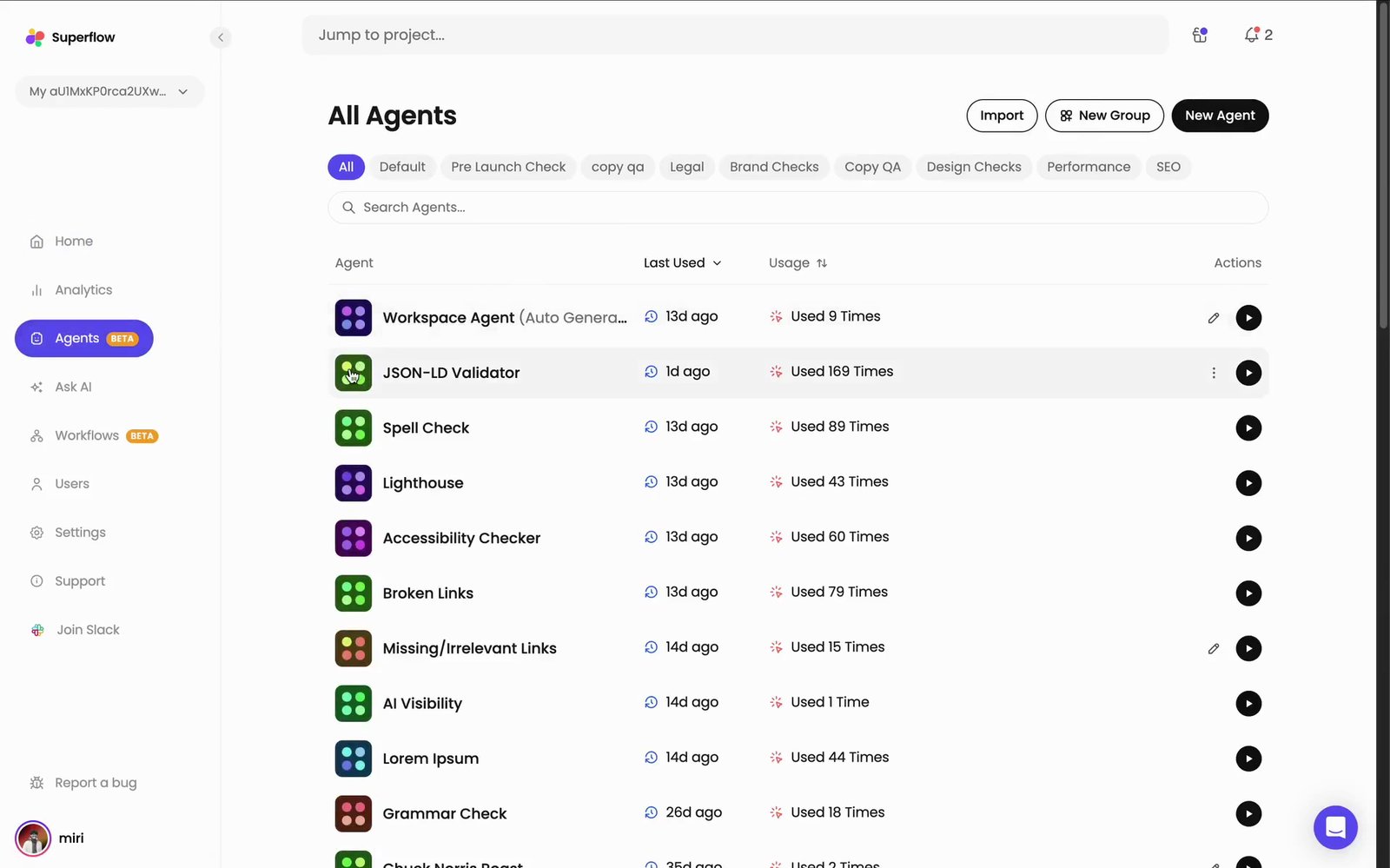
2
The Checks tab lists every check the agent has derived from your reviews
Each row is one check, written out in full, drawn from the feedback you and your clients have been leaving on projects.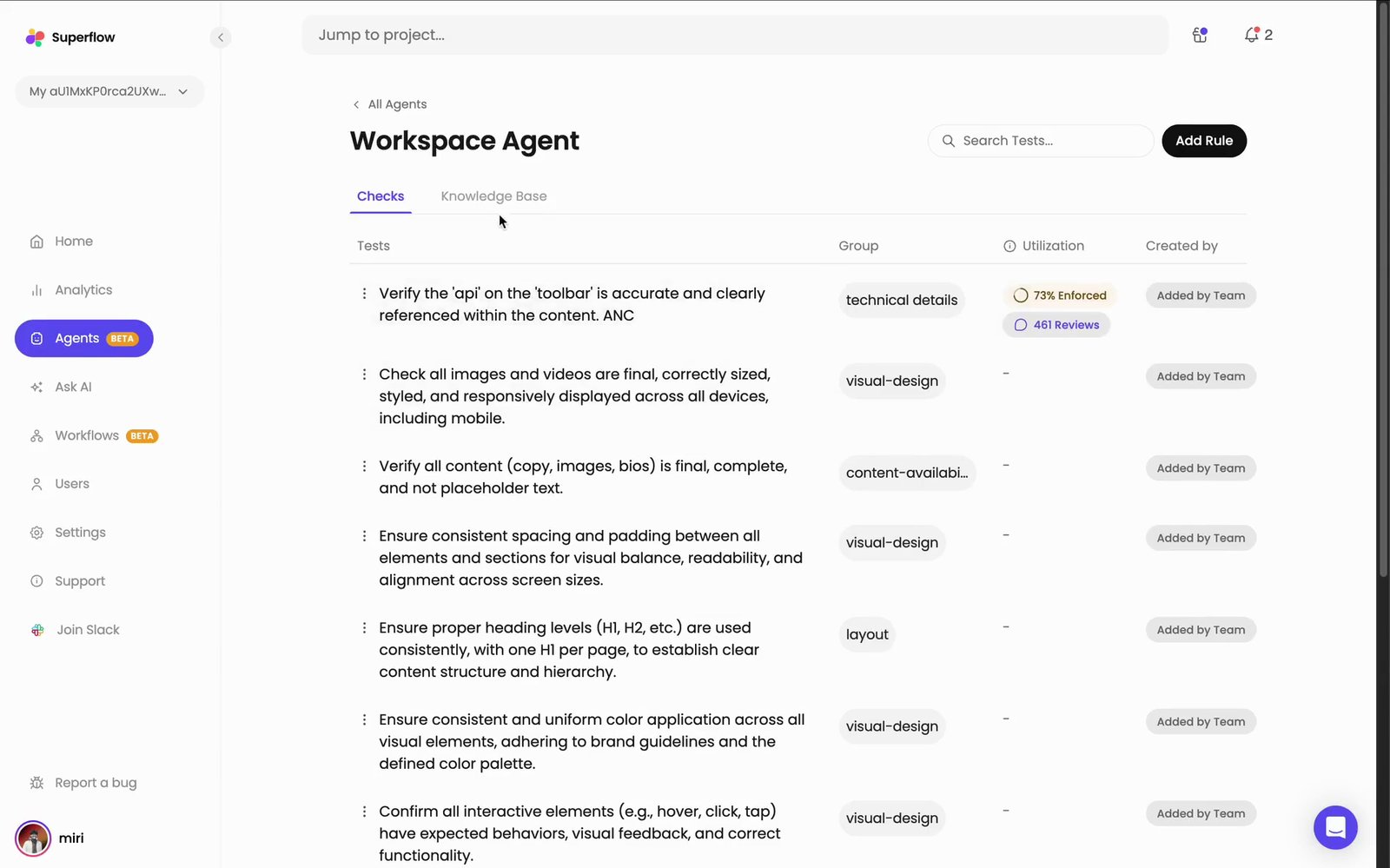
3
Open the Knowledge Base tab and upload your brand guidelines
Click Upload Brand Guideline — or + Upload on the right — to give the agent the document it should check work against. The same guidelines then apply to every project you point the agent at.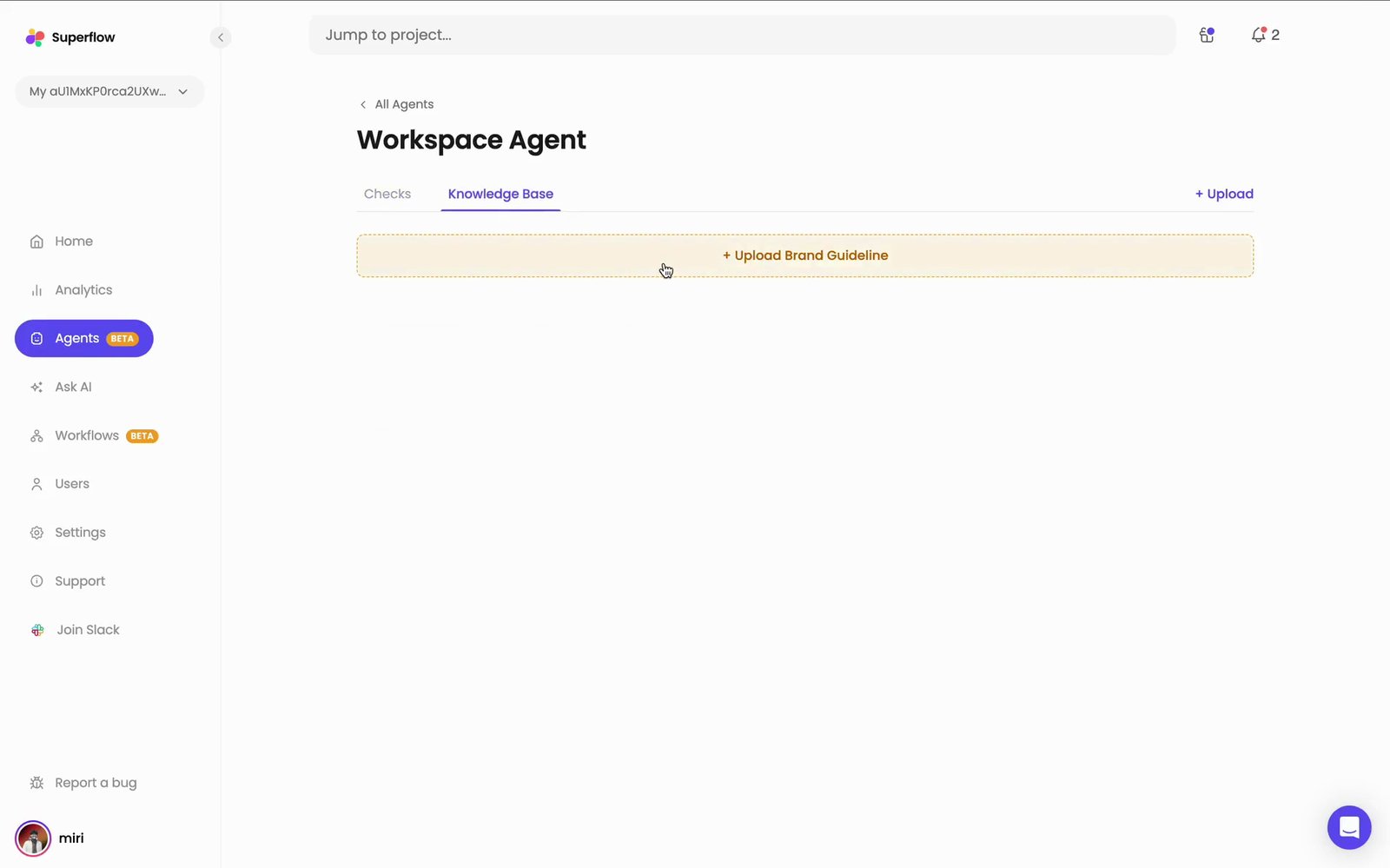
4
Run the agent against a project
Click the Play icon on the agent’s row in All Agents. The Run Workspace Agent dialog appears — pick the project and path, choose Desktop or Mobile, and click Run Agent.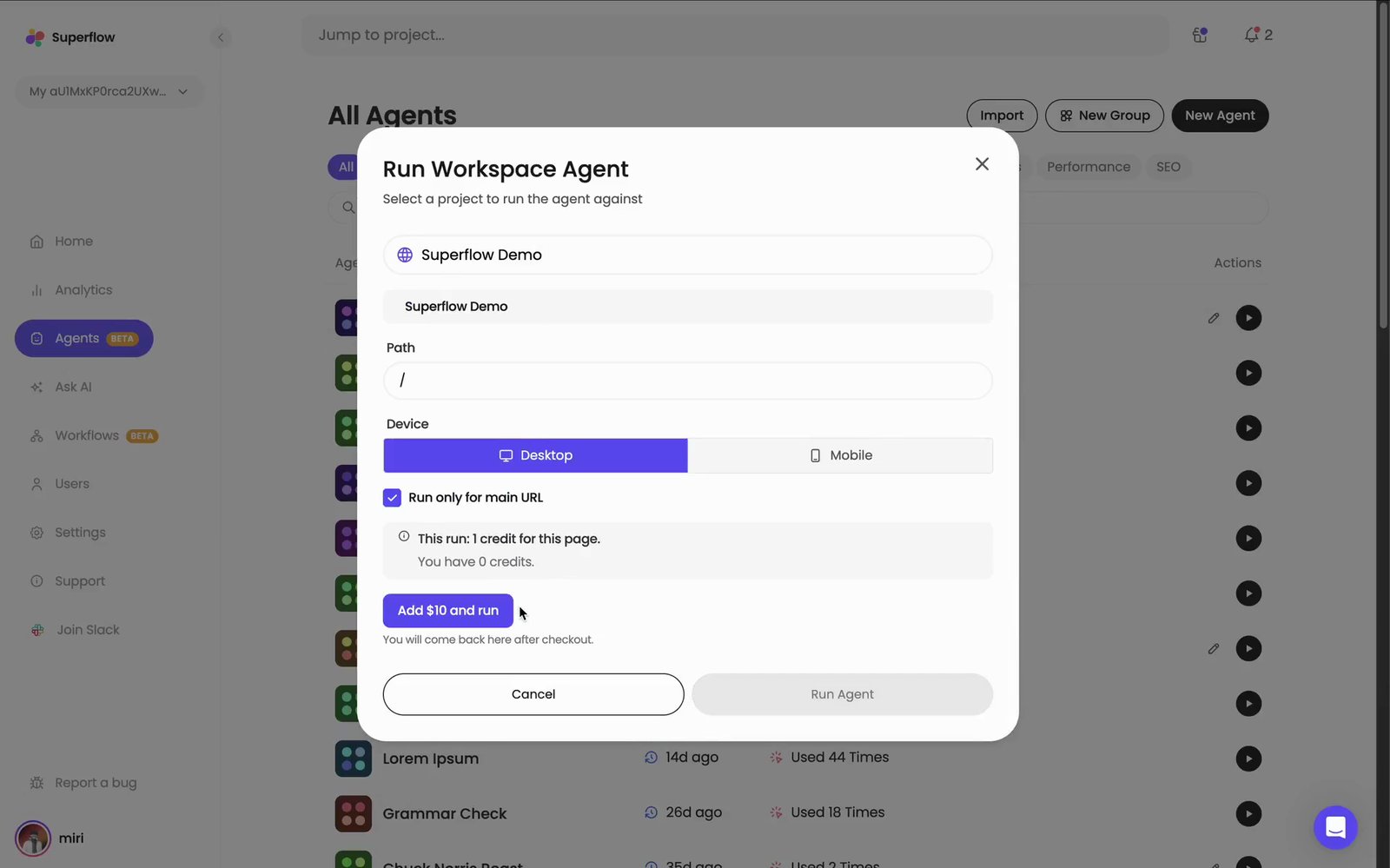
The cost of the run is shown above the buttons, along with your remaining balance. If the balance will not cover it, an Add credit and run button appears in place of Run Agent and brings you back here after checkout.